If you are like me who are annoyed by the auto-playing videos on your Facebook then this video tutorial will help you.
Whether you are using a laptop or a tablet, the steps are the same:
1. Click the drop-down menu at the top right of the screen.
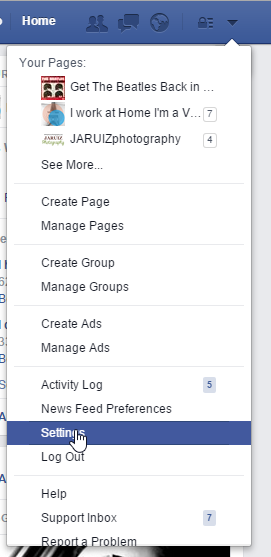
2. Click on Settings.
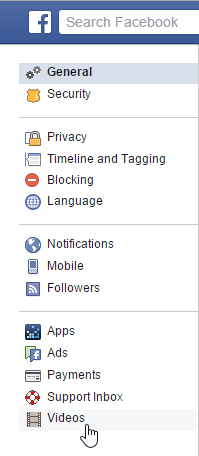
3. Look at the bottom of the left side of the new window and click on Videos
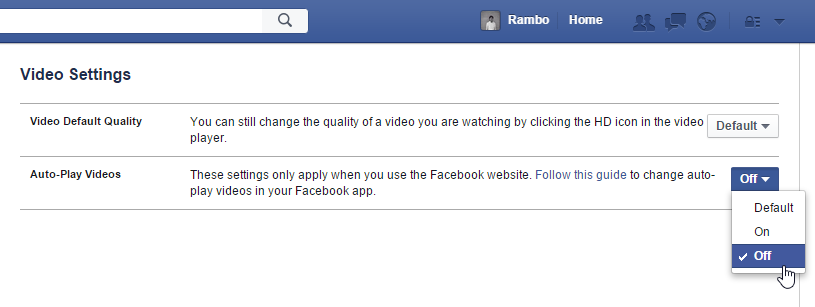
4. From here go to the far right of Auto-Play Videos and turn it Off.
Very helpful. Thanks for sharing.
Many thanks!
I solve my problem.
I’m glad you found this tutorial helpful :)
i did not find the icon auto play videos under videos under settings.
where can i find it now adays?19/5/2016
It still is there. Visit this link after you login to your Facebook account. https://www.facebook.com/settings?tab=videos